> For the complete documentation index, see [llms.txt](https://docs.hivel.ai/llms.txt). Markdown versions of documentation pages are available by appending `.md` to page URLs; this page is available as [Markdown](https://docs.hivel.ai/faqs/metrics-and-data-faqs/why-is-there-an-abnormal-spike-in-cycle-time.md).
# Why is there an abnormal spike in Cycle Time?
Occasionally, you may observe a spike in **cycle time** due to specific events or practices. Here are some common causes:
1. **Merging of a Complex Task**: A challenging or intricate task that took longer than usual to complete may have been merged, extending the cycle time.
2. **Cleanup of Long-Standing PRs**: Older pull requests (PRs) merged as part of cleanup activities can inflate cycle time temporarily.
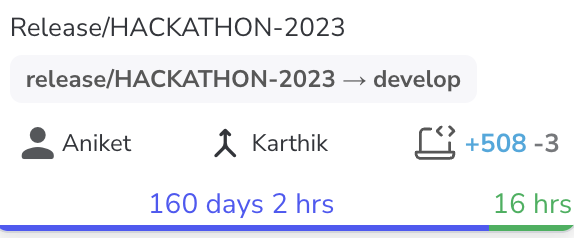
3. **CI/CD Merges for Production**: Certain CI/CD practices involve bundling all sprint commits into a single production merge, leading to a large PR with timestamps from the entire sprint, increasing the cycle time.
In these situations, it’s best to [**exclude such large or unique PRs**](https://hivel.gitbook.io/knowlegebase/using-hivel/pull-request/how-to-exclude-outlier-commits-and-prs) from your cycle time calculations. Doing so provides a clearer, more representative view of day-to-day cycle times, making the data more actionable and relevant.