> For the complete documentation index, see [llms.txt](https://docs.hivel.ai/llms.txt). Markdown versions of documentation pages are available by appending `.md` to page URLs; this page is available as [Markdown](https://docs.hivel.ai/hybrid-hivel-agent/3.-prerequisites-and-set-up/step-2-create-your-hivel-api-token.md).
# Step 2 - Create your Hivel API token
###
1. Log in to the Hivel dashboard
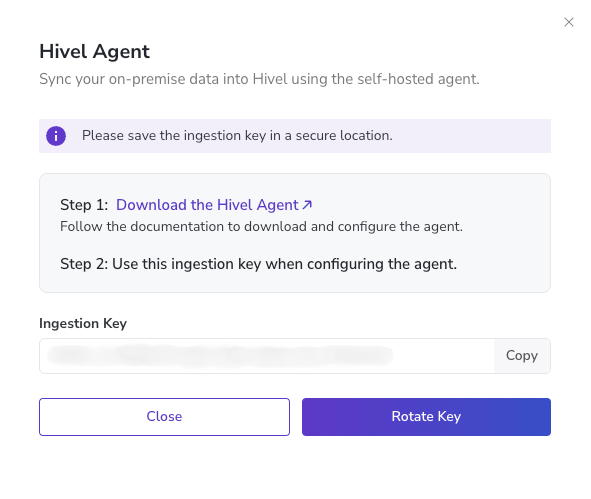
2. Go to Settings → Integrations → scroll down to the “Hivel Agent” section.
3. Click Generate Key
The agent needs a HIVEL\_API\_TOKEN to authenticate with the Hivel platform and upload data.
4. Copy the token and set it in your .env file:
```
HIVEL_API_TOKEN=HIVEL_xxxx
```
{% columns %}
{% column %} Step 1
{% endcolumn %}
{% column %}
{% endcolumn %}
{% column %} Step 3
{% endcolumn %}
{% endcolumns %}


 4. Copy the token and set it in your .env file:
```
HIVEL_API_TOKEN=HIVEL_xxxx
```
{% columns %}
{% column %} Step 1
{% endcolumn %}
{% column %}
{% endcolumn %}
{% column %} Step 3
{% endcolumn %}
{% endcolumns %}
4. Copy the token and set it in your .env file:
```
HIVEL_API_TOKEN=HIVEL_xxxx
```
{% columns %}
{% column %} Step 1
{% endcolumn %}
{% column %}
{% endcolumn %}
{% column %} Step 3
{% endcolumn %}
{% endcolumns %}