> For the complete documentation index, see [llms.txt](https://docs.hivel.ai/llms.txt). Markdown versions of documentation pages are available by appending `.md` to page URLs; this page is available as [Markdown](https://docs.hivel.ai/integrations/slack.md).
# Slack
Bring your Hivel insights right into Slack!
No need to jump between 10 different dashboards to figure out your top priorities or spot potential problems. Whether it’s reminders about pending PRs, or a quick summary of what happened in the week, you can stay on top of things right where you work.
Hivel will send timely notifications to your preferred Slack channel(s), so you can act on issues before they turn into bigger problems.
#### **How to Integrate Slack with Hivel**
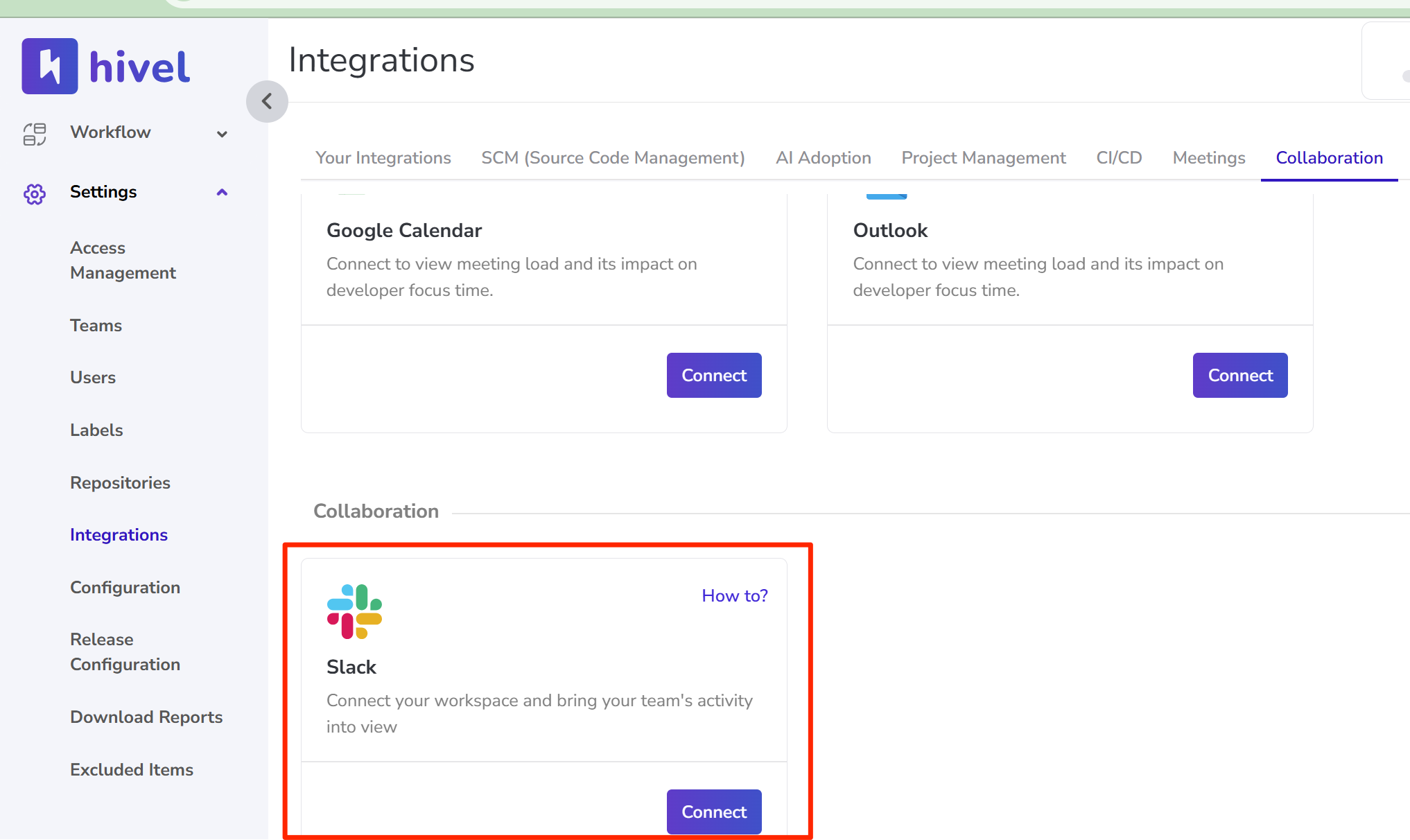
* Go to ***Settings →*** [***Integrations***](https://app.hivel.ai/settings/integrations) ***→ Slack*** and click on "Connect".
* A prompt will appear asking you to review the app’s access permissions. Click **Allow** to confirm.
{% hint style="info" %}
**Note:** You’ll need to be a **Slack Workspace Admin** to complete this integration.
{% endhint %}
**Ta-da! You’re all set. Hivel is now connected to Slack.**
For Hivel to start sending alerts to your preferred Slack channel, follow the steps outlined in [this guide](https://docs.hivel.ai/using-hivel/alerts-in-hivel/setting-up-the-slack-channel-for-alerts).
Let us know if you need any help setting this up! Contact us at .