> For the complete documentation index, see [llms.txt](https://docs.hivel.ai/llms.txt). Markdown versions of documentation pages are available by appending `.md` to page URLs; this page is available as [Markdown](https://docs.hivel.ai/release-notes/release-notes-november-2025.md).
# Release Notes - November 2025
This month’s updates focus on giving engineering leaders clearer delivery signals, better ways to manage AI features, stronger DORA reporting, and more control over how repositories and SCM teams show up inside Hivel.
### **DORA Metrics Are Now API-Driven**
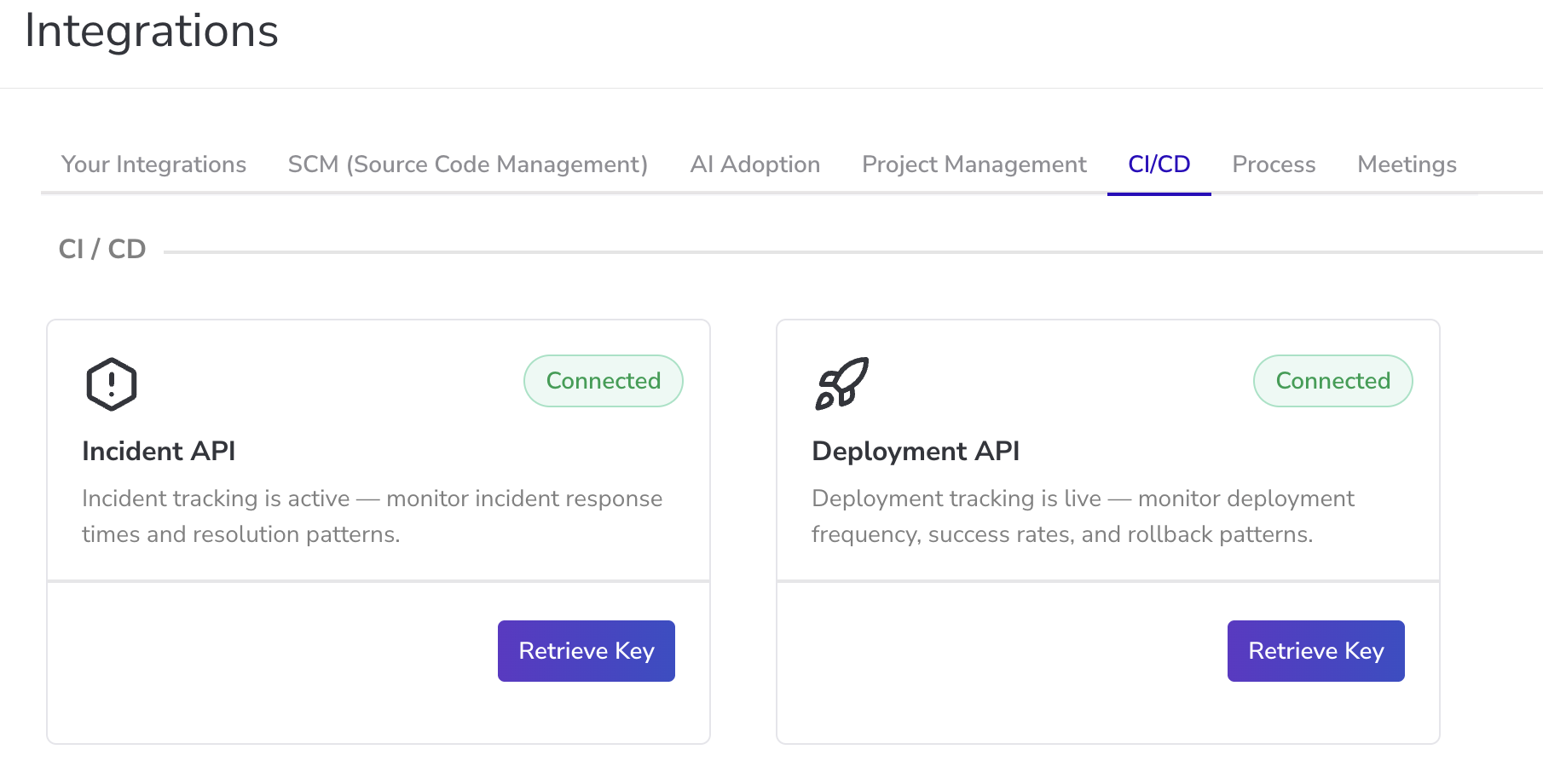
DORA metrics in Hivel now follow a standardized method based on **Deployment API** and **Incident API** data.
This ensures your DORA dashboards reflect real deployment and incident activity instead of inference-based logic.
Here’s what’s changed:
* **Deployment Frequency, Change Failure Rate, and Mean Time To Restore** are now calculated using API data.
* We’ve added **Delivery Lead Time** as part of the updated DORA set.
* **Cycle Time** has been removed from the DORA template to avoid overlap.
* Existing DORA metric names have been updated for clarity:
* Old Deployment Frequency is now **Release Merge Frequency**
* Old Change Failure Rate is now **Hotfix Rate**
* Old MTTR is now **Hotfix Resolution Time**
Connect the APIs using the **Integrations page → CI/CD** tab to start using standardized DORA calculations across Hivel dashboards.
More information in [this page](https://docs.hivel.ai/integrations/api-documentation/dora-metrics-powered-by-new-apis-in-hivel).
👉 [**Go to the Integrations Screen**](https://app.hivel.ai/settings/integrations)
### **Deployment API v2 Released**
We’ve rolled out **Deployment API v2** with major improvements:
* handles multiple timestamp formats (ISO, offsets, epoch sec/ms/micro/ns)
* unified mapping for statuses from GitHub, GitLab, Jenkins, Argo, Azure, CircleCI
* simplified event model using start\_time + end\_time
* fully backward compatible with v1
Ideal for teams integrating multiple CI/CD tools or migrating between platforms.
### **New: AI Section in the Configuration Screen**
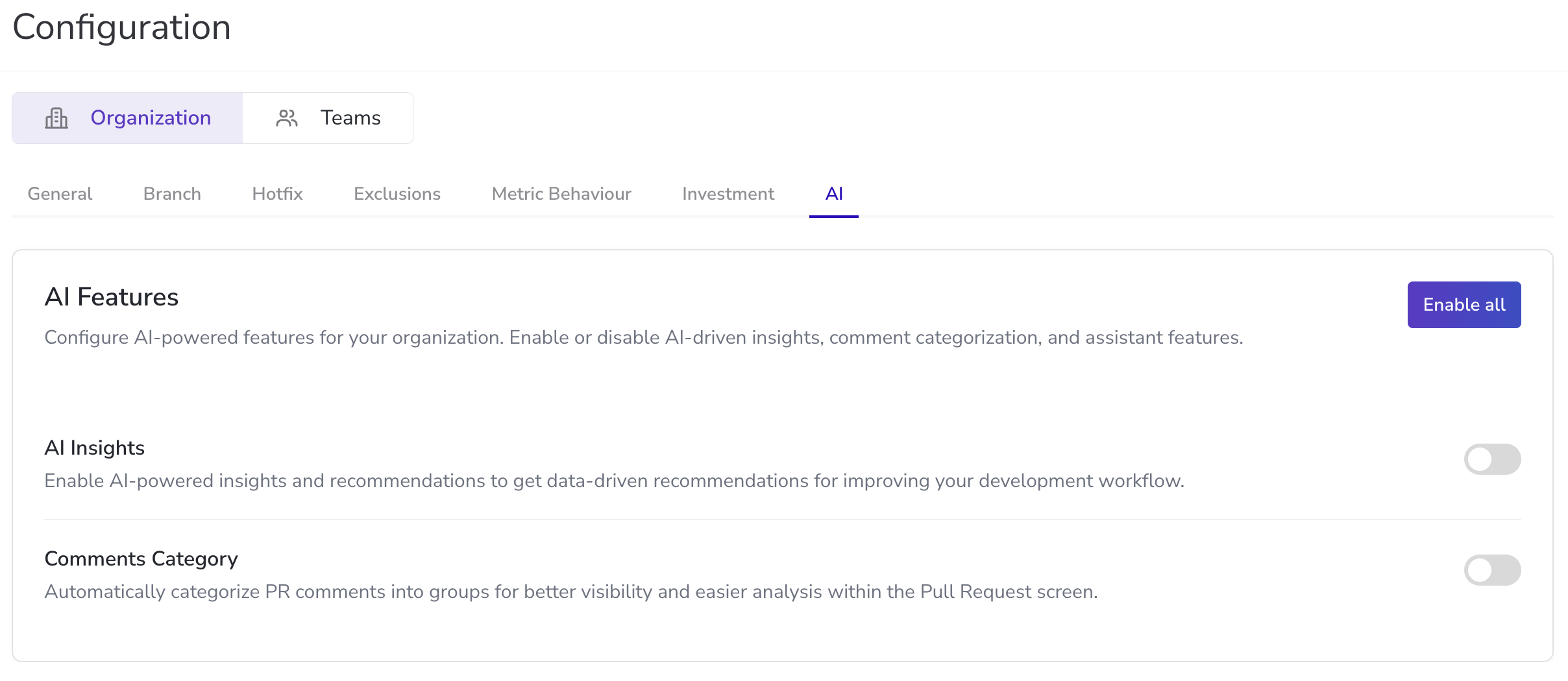
We’ve added a dedicated **AI** section in the **Configuration Screen**. This lets org admins manage which AI features are shown to users across the workspace.
👉 [**Go to the Configuration Screen**](https://app.hivel.ai/settings/configuration)
### Say-Do Ratio: A Clearer View of Delivery Reliability
We've added a new metric, **Say-Do Ratio** to the **Delivery tab** in the **Investment Screen**.\
This metric helps you understand how much of the planned work is actually completed within the same cycle.
It’s especially useful when evaluating planning accuracy, team reliability, and identifying where commitments regularly fall short.
👉 [**Try it out**](https://app.hivel.ai/dashboard/investment-profile)
### Enhancements Made to Lucy (Our AI Insights Agent)
#### **Faster loading for large responses**
When Lucy returns a big dataset, you no longer have to wait for everything to load at once. Rows now appear as they are ready, so you can start reading, spotting patterns, and asking follow up questions right away.
#### **A new chart-first experience**
We’ve added a chart view for the questions you ask Lucy. Charts will now show up as the default way of presenting results, instead of plain tables. This makes it easier to spot patterns and discuss trends during sprint reviews, planning, or team syncs.
These updates help you get answers faster and make Lucy easier to use during real work sessions with your team.
👉 [**Chat with Lucy**](https://app.hivel.ai/dashboard/lucy)
### **Teams Page Updates**
We've refreshed the layout of the **Teams Management page** for cleaner scanning and faster navigation. A small improvement that makes team-level evaluation easier.
👉 [**See what’s changed**](https://app.hivel.ai/settings/teams)
### **URL Redirection & Proxy Support**
Hivel now supports **proxy-friendly URLs** across the platform.\
This is especially useful for companies with strict internal routing rules.
Currently live for Git-based workflows, with support for more SCMs coming soon.
### **Include / Exclude Repositories**
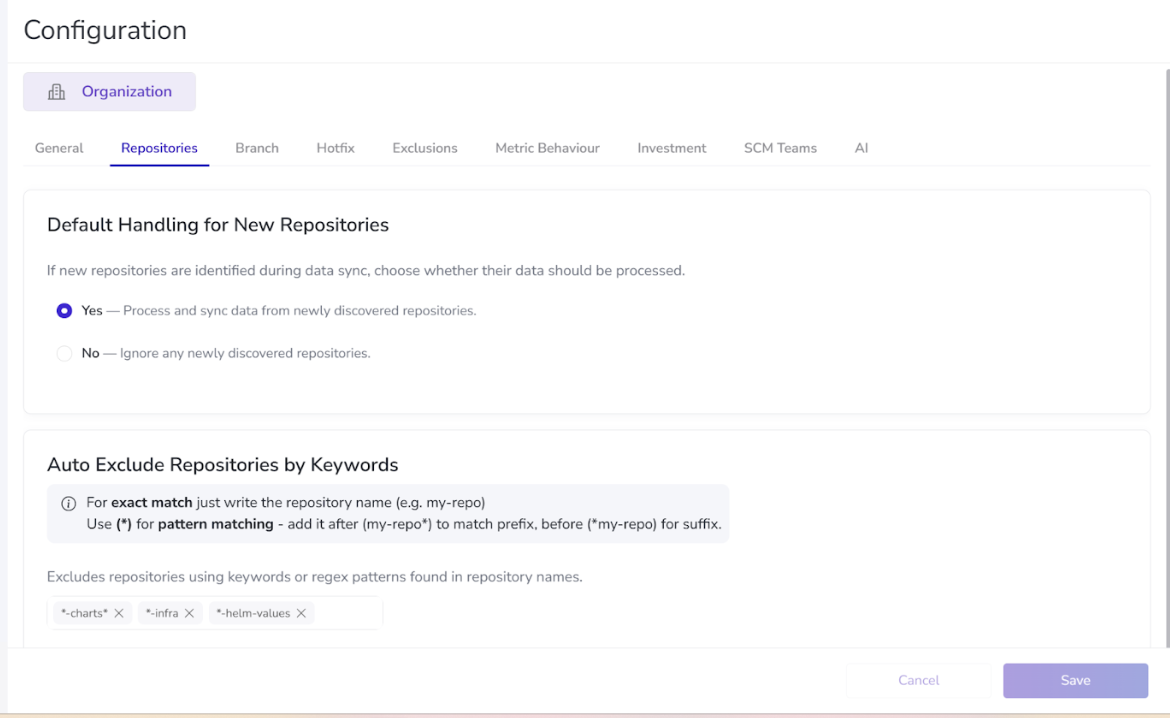
A new **Repositories** tab is now available under the **Configurations section**, giving you tighter control over which repos Hivel ingests.
What you can do:
* Automatically include all new repos (daily sync)
* Block all new repos
* Use exclusion regex to filter out repos you don’t want data from
Available for:
* org-level
* GitHub Cloud
Currently activated for organizations in the India region only.
### **Include / Exclude SCM Teams**
A new **SCM Teams** tab in the **Configurations screen** lets you decide whether Hivel should auto-sync teams from GitHub.
**Default is OFF.** When turned ON:
* Manually created teams become inactive
* CRUD actions are disabled
* GitHub teams sync automatically
* Exclusion regex is supported
Available for:
* org-level
* GitHub Cloud
Currently activated for orgs in the India region only.
## **☕ Wrapping Up November**
As we move into December, many teams are closing out roadmaps, reviewing goals, and preparing for planning cycles.
These updates are built to support exactly that - clearer delivery signals, cleaner configurations, and better ways to evaluate how teams commit and ship work.
Take a moment to pause, look at what your teams delivered this year, and set the pace you want for 2026. Here’s to a calm end to the quarter and fewer late-night deployments. 🍻