> For the complete documentation index, see [llms.txt](https://docs.hivel.ai/llms.txt). Markdown versions of documentation pages are available by appending `.md` to page URLs; this page is available as [Markdown](https://docs.hivel.ai/set-up/teams/how-to-add-users-to-a-team-and-sub-team.md).
# How to add users to a team and sub-team?
To add authors to a team on the Teams page in Hivel, you can follow these methods:
#### 1. **If the Team is Already Created:**
* Navigate to the **Teams** page and select the specific team you want to add authors to.
* Once inside the team, click on the **"Add Users"** button.
* In the search bar, type the name of the users you want to add, and select the applicable users from the list.
* The selected users will be added as an author to the team.
#### 2. **If the Team is Not Created:**
* Select all the users who should be part of the team.
* Click on the **"Create Team"** button.
* Fill in the required details about the team, such as the team name, description, and any other relevant information.
* After filling in the details, save the team. The selected users will be added as authors automatically.
#### 3. **To add users to a sub-team**
* You can navigate directly to the subteam by expanding the parent team.
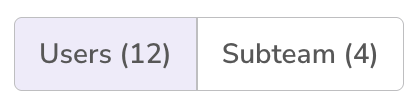
* Or you can, navigate to the parent team -> then switch to Subteams section -> Select the subteam.
* Once inside the subteam, click on "Add Users" and select all the users who should be part of the subteam.
* After filling in the details, save the team. The selected users will be added as authors automatically.
By following these steps, you'll be able to effectively add authors to a team or sub-teams, whether it's already created or not.